Desktop Publishing Installation Support
Client / Company
Adobe Systems Inc
Project Date
2003–2005
My Role
My job was a Technical Support Specialist Senior for the suite of products included in the Desktop Publishing bundle, along with being the SME for Adobe FrameMaker. I gathered data from calls, determined trends and patterns for repeatability, and best solutions that were being used by coworkers.
Project Summary
This project provided top-level installation support as a free service to customers with proof of purchase of the $1200–$1500 software package. The primary support professional's role was to demonstrate confidence and expertise in software installation while educating customers about support and training options. Challenges encountered during this project included: long hold times for customers to reach technicians; up to 2 hours to install the software; delays in sending out replacement media; and missing fonts, applications, and systems that did not meet system requirements.
Due to the challenges encountered during the new installation process, the results included a rewrite for the next release; a way to download the media as a backup if there happened to be damaged disks; an email version of the installation guide; and a link to the support website where customers could check system requirements and find the installation guide.
The Challenge
Challenge 1: The installer would freeze, hang, or generate an error. This impacted customers because these messages could appear when the first CD/DVD was inserted, or at any point during the installation, taking anywhere from minutes to hours before failing or completing.
Challenge 2: Creating a desktop installation folder meant copying the discs to the folder and, in the process, finding bad media — complicated further by a lack of free hard drive space and whether to copy to an internal or external drive.
With each challenge above, customers lost time waiting for the software to install and were unable to use their computers in the meantime. Creative Suite took about 2 hours to install on its own; copying media first could add another 2 hours before installation even began. Customers lost productivity while waiting to confirm all the applications had installed correctly from the hard drive.
Primary support professionals had resources to guide customers through troubleshooting, but documenting solutions clearly enough for most customers to follow without a technician took time. The other challenge was meeting high call volume and demand for services while managing customer frustration caused by the installation issues.
Solution
From the challenges above, the following solutions were tested in real time, proven, and documented.
Solution 1: A troubleshooting guide for installation, published on the Adobe Support website for Mac and Windows, covering system requirements, hardware compatibility, video cards, and the free hard drive space required to install. It also advised customers upgrading how to back up previous versions' preferences and plugins, documented the desktop folder structure to use, and advised disabling antivirus software during installation.
Current release guidance: helpx.adobe.com — Failed install: Creative Cloud desktop app
Solution 2: Improved methods for confirming damaged media and replacement options. By creating a folder on the desktop, inserting the disc, and copying the disc contents to that folder, we could rule out whether a disc was unreadable, needed a different machine, or was erroring out during the copy itself — increasing customer satisfaction with response times.
Solution 3: Downloadable backup media was created after proof of purchase was confirmed, further improving customer satisfaction.
Results
The project was successful: the installation guide was published and included in all releases involving physical media. Primary support professionals saw faster resolution thanks to a new installation structure for confirming completed downloads and copied software, and were better equipped to handle solutions faster with improved documentation, step-by-step guides, and the ability to follow up with customers to confirm everything installed and worked as expected.
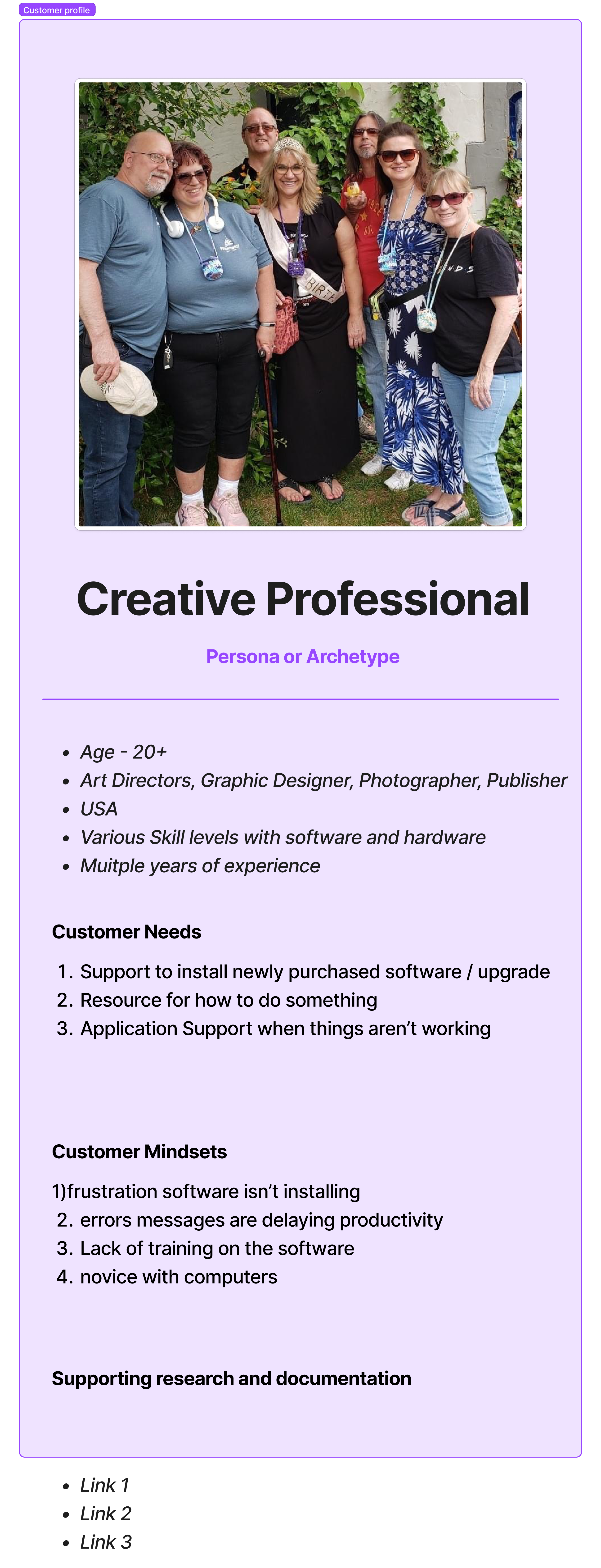
Figma: Persona
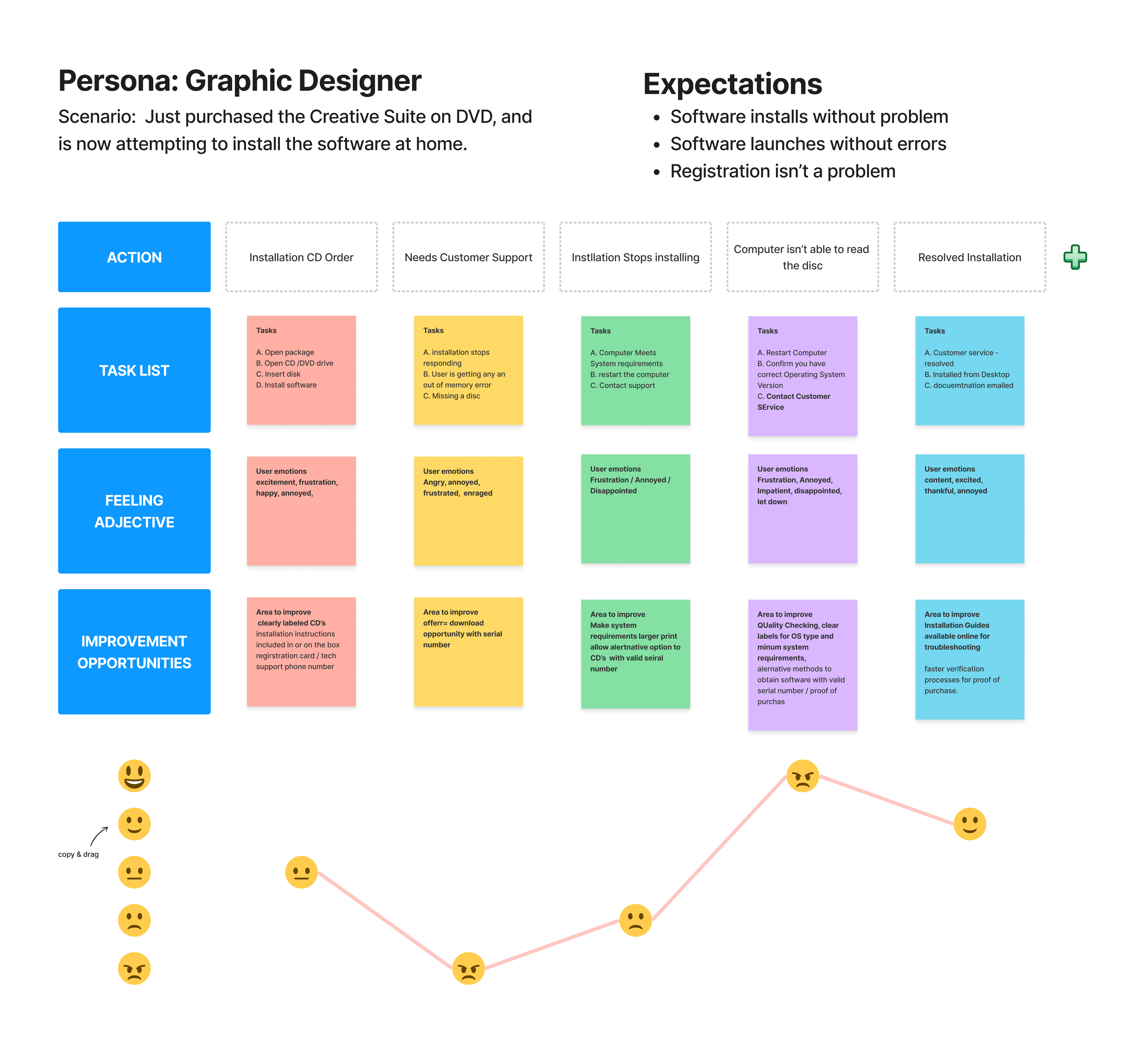
Figma: User Journey
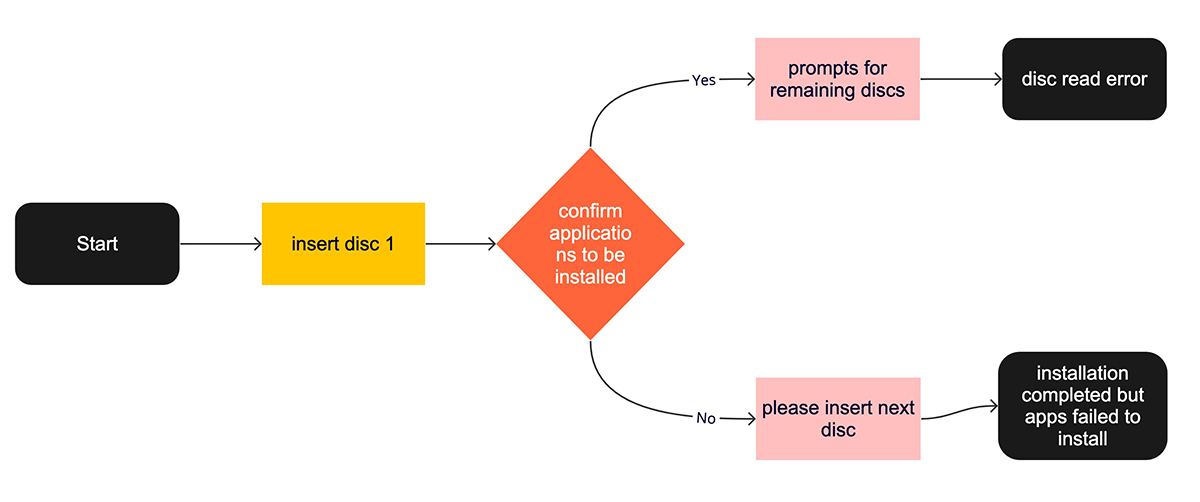
Figma: Flow — Disc Read Error
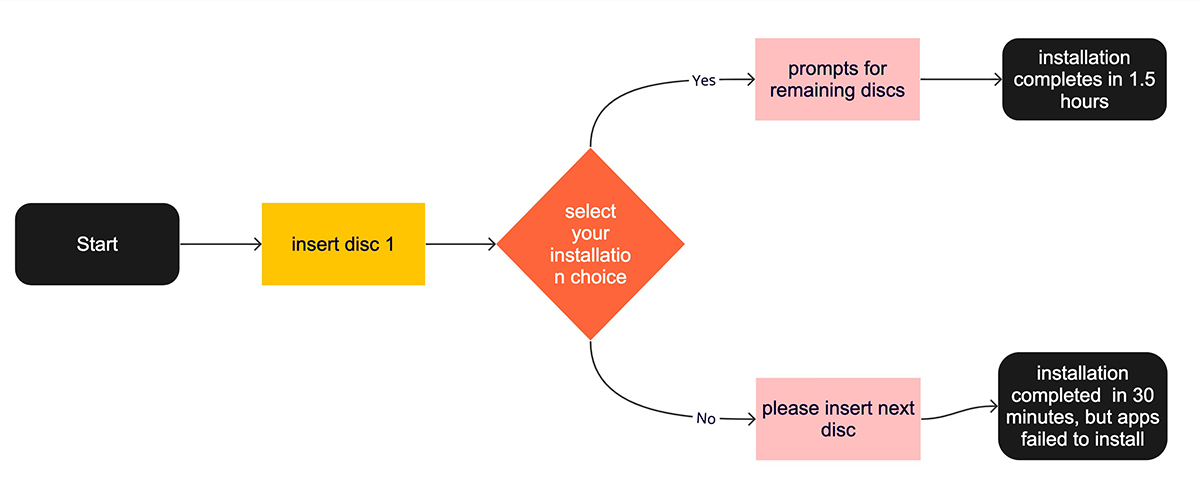
Figma: Flow — Missing Applications
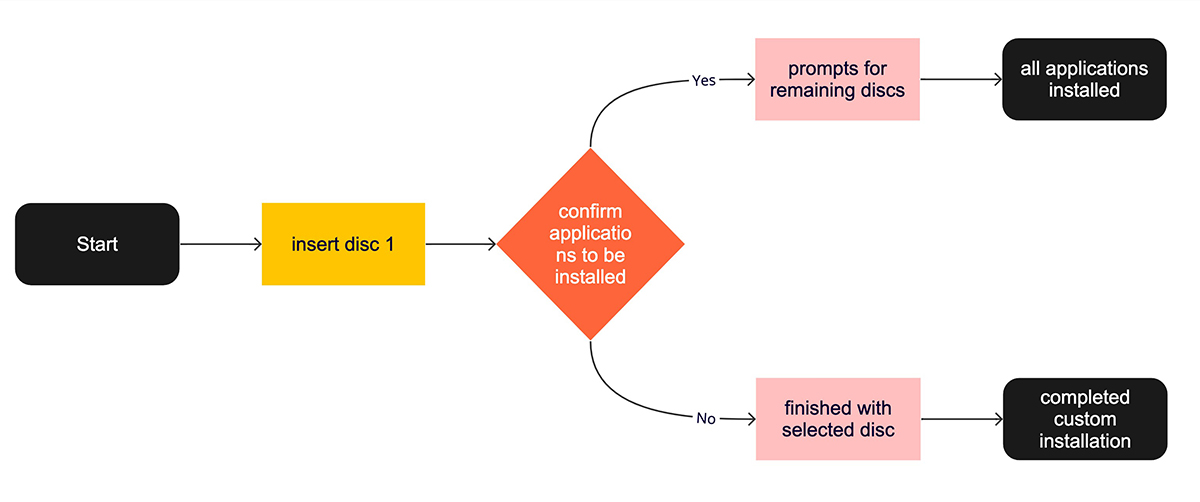
Figma: Flow — No Errors


